 Lucid
LucidShowRevert
## High-level design### Data model
Headings
The outline: a title, sections and sub-sections. Numbered in the PDF.
Free and open source · local-first · macOS, Windows, Linux
Say or type your thoughts. Lucid arranges them as headings, lists, tables and diagrams, and typesets them. The language model runs on your own computer, so nothing leaves it.
macOS · Windows · Linux · free, MIT licence
The idea
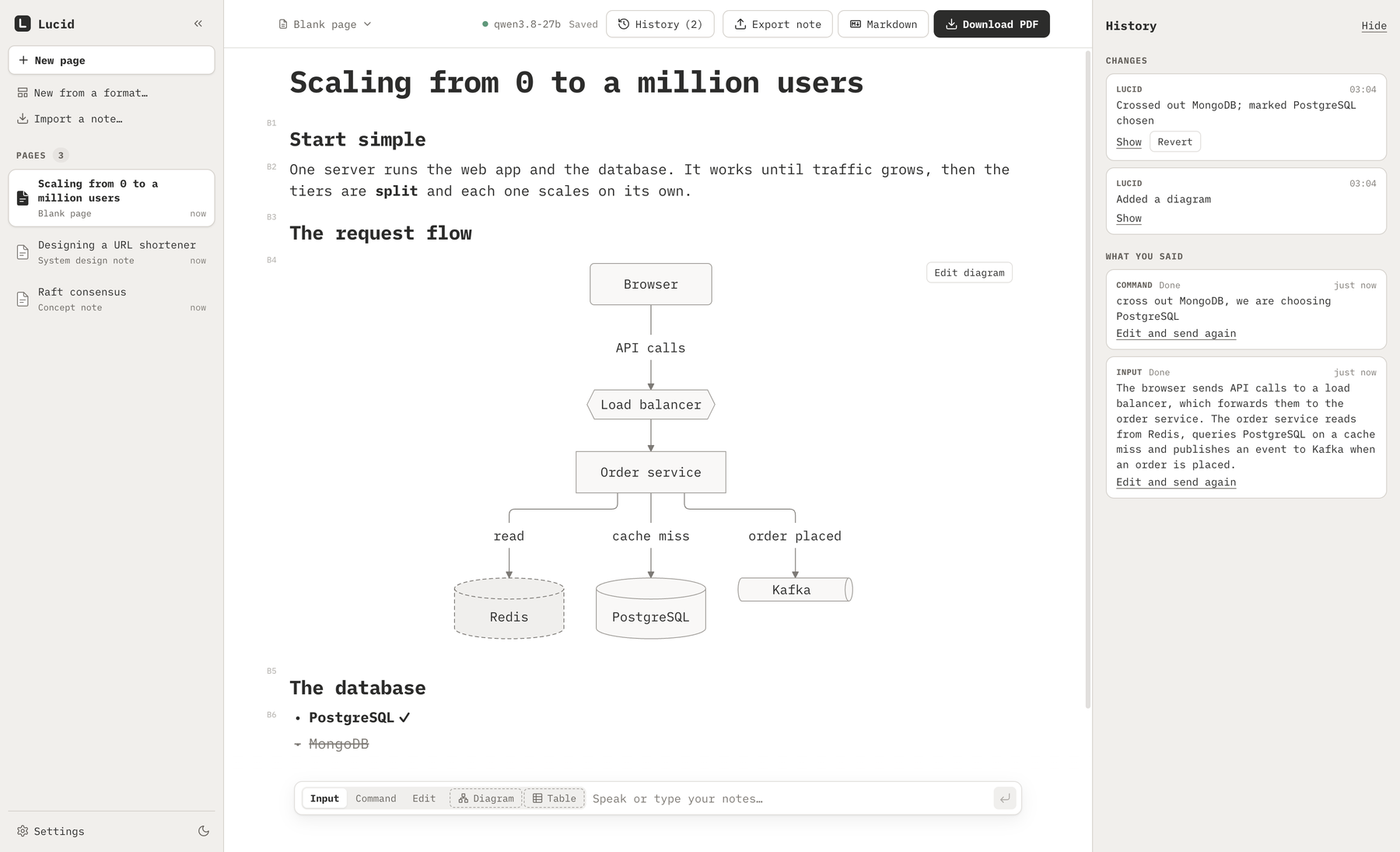
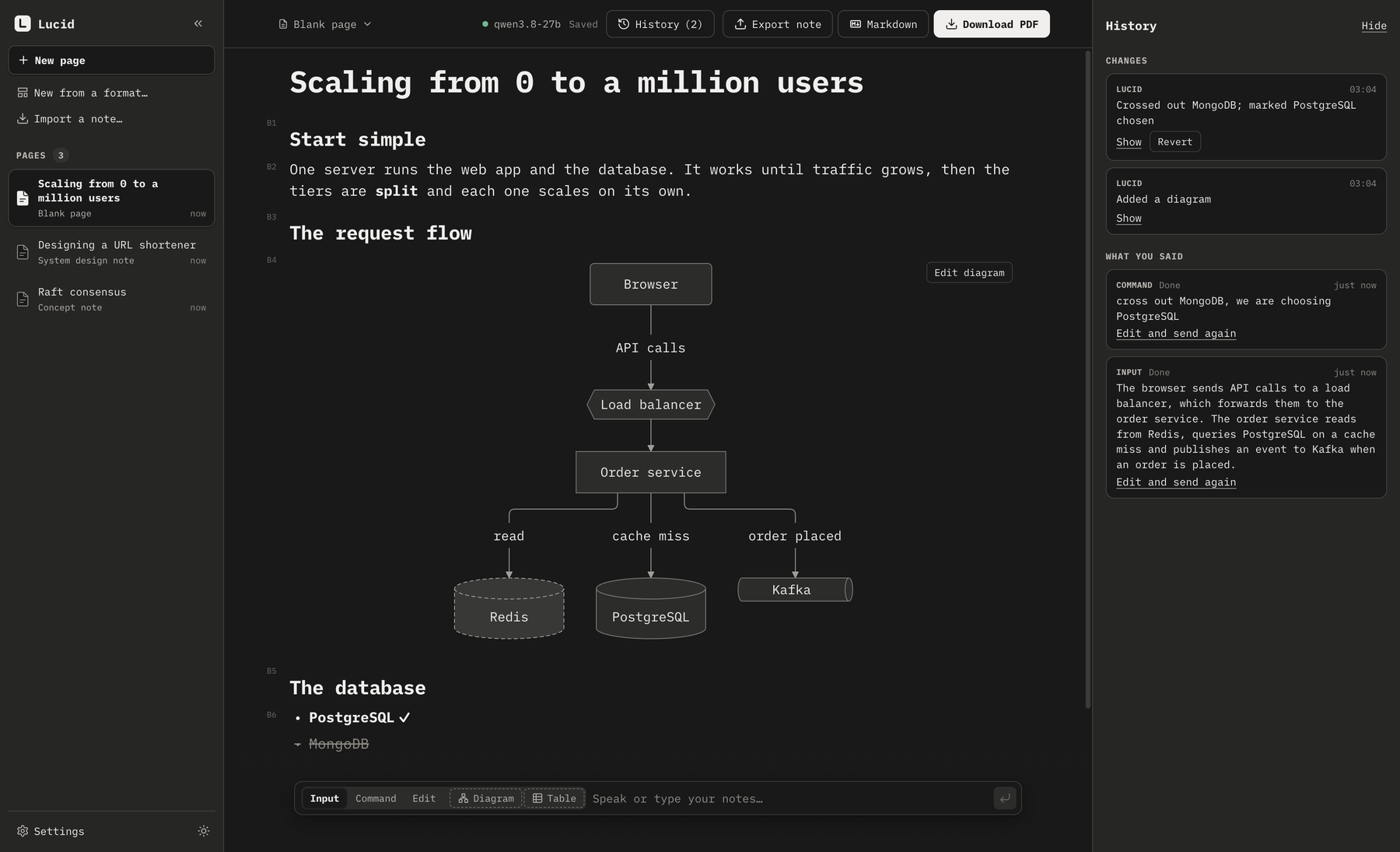
A system design is an outline of sections and sub-sections, a list of options with the rejected ones crossed out, a table that compares them and a diagram of how the parts connect. Lucid builds that document while you think out loud, so you never stop to format.
You say
The browser sends API calls to a load balancer, which forwards them to the order service. It reads from Redis and queries PostgreSQL on a cache miss. We’re not going with MongoDB, PostgreSQL it is.
Lucid builds
What a page is made of
The model only chooses which block fits what you said and fills it in. It never writes LaTeX or drawing code; Lucid draws and typesets the blocks, so a page looks the same however it was dictated.
The outline: a title, sections and sub-sections. Numbered in the PDF.
Options, steps, trade-offs. Each item stands alone, so one can be crossed out, never deleted.
A comparison: properties by options. Typeset as a real table.
How parts connect: architecture, flows, sequences. A database is drawn as a cylinder, a queue as a pipe.
The takeaway, a decision, a trade-off, a warning or an open question.
Back-of-the-envelope maths: KV-cache size, FLOPs, bandwidth. Typeset LaTeX.
Numbers you dictated, as bars or lines, using only the numbers you said.
An API request, a query, a shell command.
How it works
One input box. Dictate with Wispr Flow on macOS or Windows (optional), or just type. Your words are never lost: if the model cannot use them, they are kept as written.
A local model in LM Studio turns notes into blocks and places them under the right section.
“In block 3, add a row for cost.” Every change is one undo step, and any earlier change can be reverted on its own.
A typeset PDF, Markdown, or a .lucid file with its history. AI agents
can edit the same blocks.
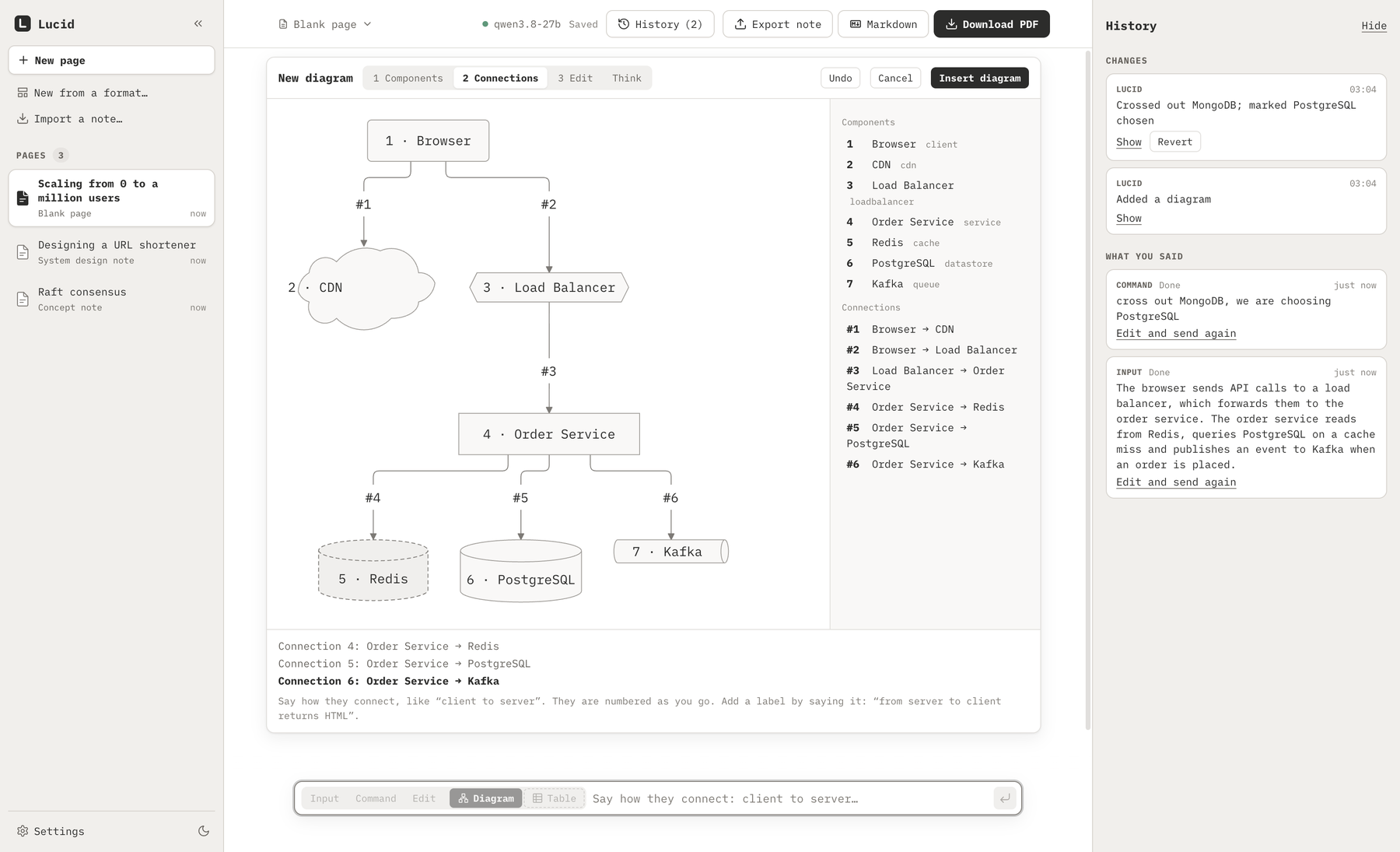
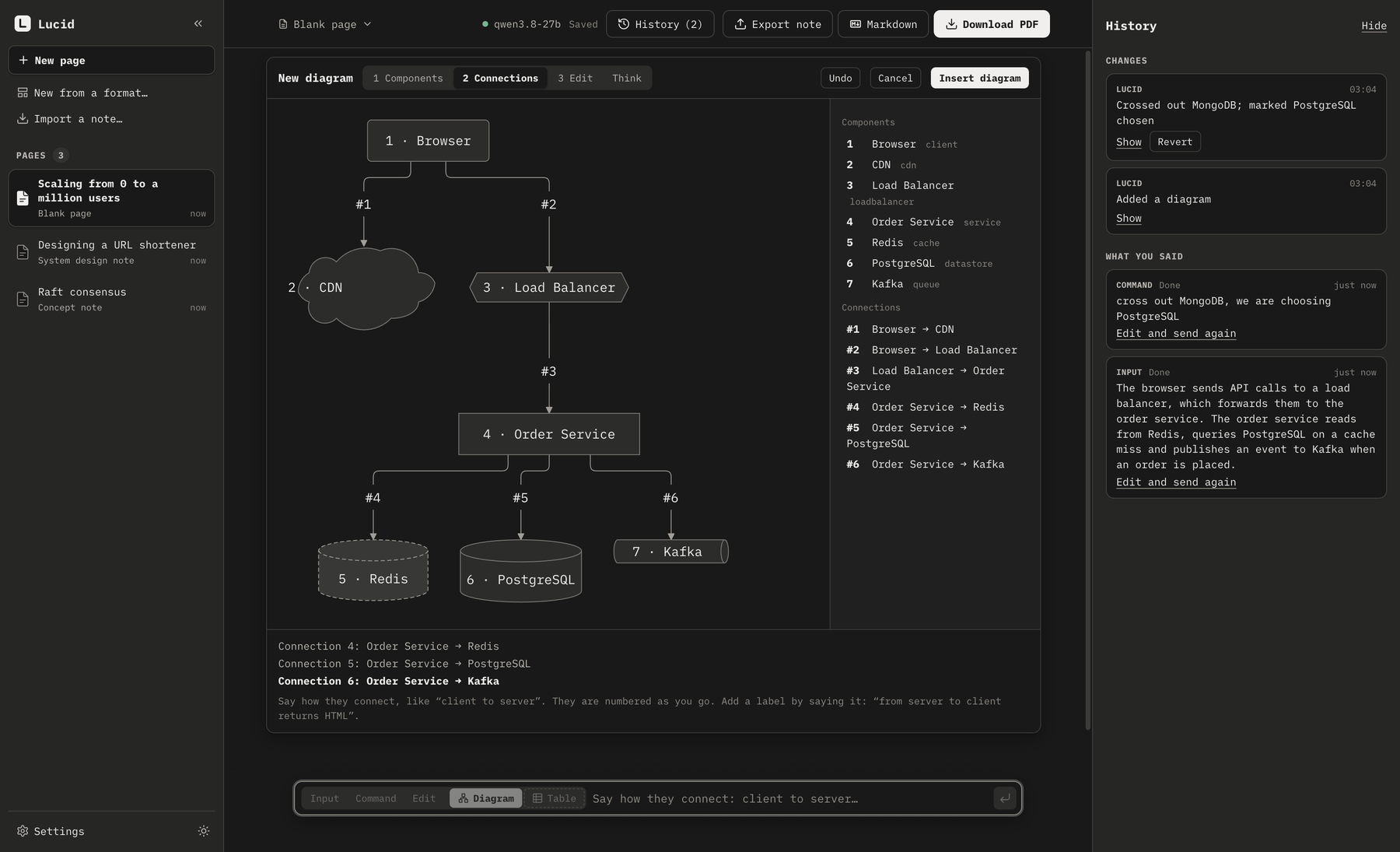
Diagrams by voice
A ten-part diagram is hard to say in one breath, so there is a guided builder.
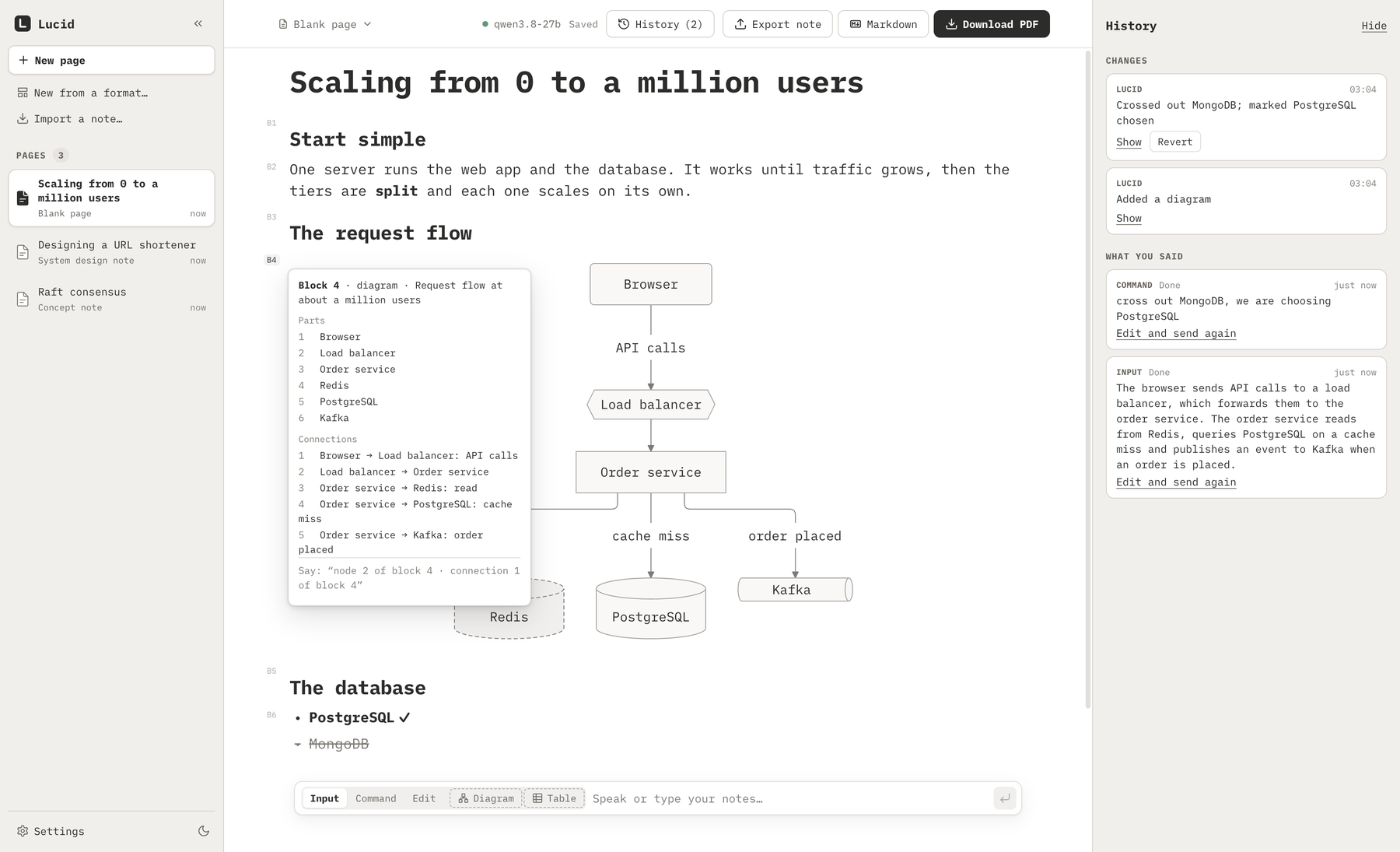
Block numbers
Every block has a light number in the margin. Click one to see its parts, then talk about it.
History you can trust
The panel lists what you said and every change to the page: by Lucid, by a builder, by an AI agent. Show scrolls to what a change touched. Revert takes back that one change and leaves later ones to other blocks alone.
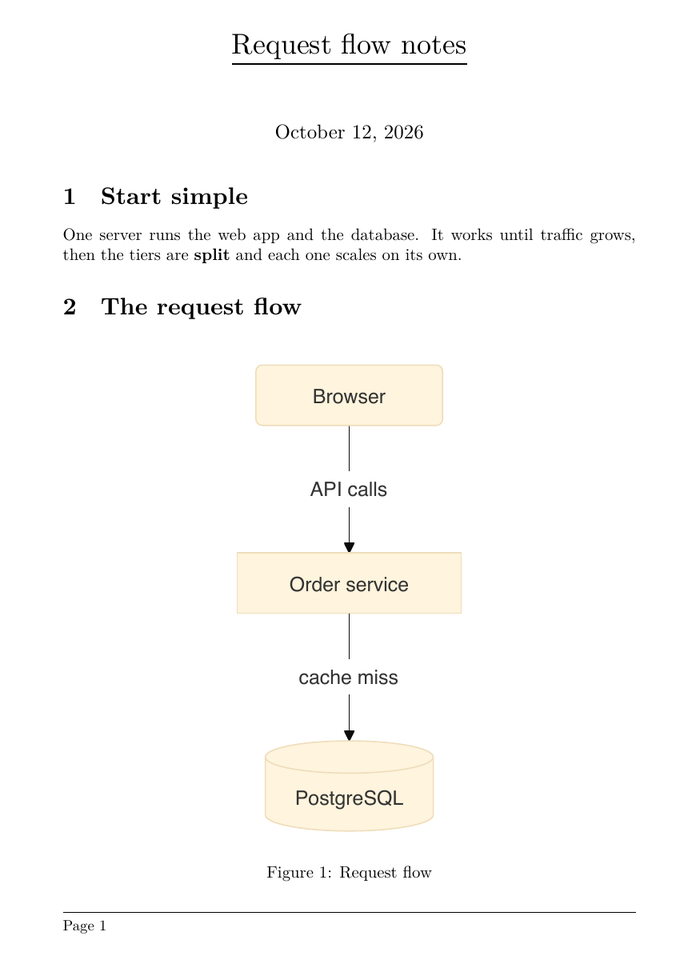
A real PDF
Numbered sections, real tables, vector diagrams and formulas, in a fixed house style. The PDF engine (Tectonic) comes with the app. Or export Markdown, with diagrams as Mermaid.
Made for system design, open to other fields
A note format is the skeleton of a page: its sections, a hint for each, and which blocks suit it. Dictation is placed under the section it belongs to.
One computer-science or system-design idea.
Designing a system end to end.
Choosing between technologies.
KV cache, FLOPs, bandwidth, batching.
Recording an experiment.
A format is a small data entry in the source: an id, a description, the sections. A lab notebook, a reading log or a study plan is one more entry.
Download
SHA256SUMS · All releases · Changelog
qwen/qwen3.8-27b: a lot of memory; developed on 48 GB.
Lucid is free and not notarized by Apple, so macOS asks once:
xattr -dr com.apple.quarantine /Applications/Lucid.appRun the installer. It installs Lucid for you (no administrator needed) and starts it. Lucid is free and not signed, so Windows SmartScreen may say “Windows protected your PC”:
To remove it later: Settings → Apps → Lucid. The portable .zip needs no install:
unpack it and run Lucid.exe.
Debian, Ubuntu and relatives, from the .deb:
sudo apt install ./Lucid-*-linux-amd64.debAny distribution, from the .AppImage:
chmod +x Lucid-*-linux-x86_64.AppImage
./Lucid-*-linux-x86_64.AppImage
On Ubuntu 24.04 and newer an AppImage can stop with a sandbox message: use the
.deb, or start the AppImage with --no-sandbox.
Each release lists SHA-256 checksums in SHA256SUMS. On macOS and
Linux, in the folder with both files:
shasum -a 256 --ignore-missing -c SHA256SUMSOn Windows, in PowerShell, then compare the result with the line for your file:
Get-FileHash .\Lucid-*-win-x64.exe -Algorithm SHA256Needs Node 22.12 or newer and pnpm 9. Works on macOS (Apple Silicon), Windows and Linux (x64).
git clone https://github.com/triggeredcode/lucid.git
cd lucid
pnpm install
node scripts/fetch-tectonic.mjs
pnpm devFor AI agents
Lucid is also an MCP server. With the app running, Claude Code, or a model in LM Studio’s chat, can read and edit the same blocks with the same safe tools. Every agent change is one undo step and appears in the history as the agent’s.
macOS
claude mcp add lucid -e ELECTRON_RUN_AS_NODE=1 -- \
  /Applications/Lucid.app/Contents/MacOS/Lucid \
/Applications/Lucid.app/Contents/Resources/lucid-mcp.mjsWindows (PowerShell)
claude mcp add lucid -e ELECTRON_RUN_AS_NODE=1 -- `
  "$env:LOCALAPPDATA\Programs\Lucid\Lucid.exe" `
"$env:LOCALAPPDATA\Programs\Lucid\resources\lucid-mcp.mjs"Linux (.deb)
claude mcp add lucid -e ELECTRON_RUN_AS_NODE=1 -- \
/opt/Lucid/lucid /opt/Lucid/resources/lucid-mcp.mjsPrivacy
Lucid has no server and sends nothing about you anywhere.
The language model runs in LM Studio on your computer. Settings refuses an address that is not local.
Every page is one JSON file in ~/Lucid that you can back up or move.
The code is MIT-licensed and open.
Questions
Lucid is a free open-source app without an Apple developer certificate, so it is not notarized. macOS asks you to allow it once (see “First time you open it” above). The download’s checksum lets you verify what you got, and the source is public.
No. Dictation is optional: Wispr Flow pastes your words and Lucid takes the paste. You can just type. Wispr Flow is a separate app with its own privacy terms.
Lucid is evaluated with qwen/qwen3.8-27b in LM Studio. Another model
can be named in Settings, but expect more misses. A request takes 10 to 25 seconds
on a laptop.
It was made for system-design and engineering notes, but a page is just headings, lists, tables and diagrams, so it suits any subject that has that shape. Note formats are plain data you can extend.
macOS 13 or newer on Apple Silicon, Windows 10 or newer (64-bit) and Linux (64-bit; a .deb for Debian and Ubuntu, an AppImage for other distributions). Not yet: Intel Macs, and Windows or Linux on ARM.
Every build is tested on GitHub’s own macOS, Windows and Ubuntu machines before a release (it starts, makes a PDF with a diagram, and connects an AI agent), but the Mac version has had the most everyday use. If something is off on Windows or Linux, please report it.